
July 18, 2026
How to Plan a Binge-Watch When Franchise Movies and Series Are Spread Across Multiple OTT Platforms
A franchise marathon can become expensive and exhausting long before the story becomes difficult to follow. Films may be divided among several subscription services, spin-offs may add little to the main plot, and a series that looks manageable by episode count can require an entire weekend once its actual runtime is calculated.
A title list is therefore only the beginning. A workable plan must settle six questions: which order will be followed, which entries are essential, where each title is currently available, how subscriptions will be grouped, how much can be watched each day, and whether downloaded copies will remain usable until the scheduled viewing date.
The most reliable approach is to build the marathon around the story first and the platforms second. Streaming convenience can reduce costs, but it should not quietly rearrange the franchise into an order that weakens reveals, character introductions, or major transitions.
Fix One Viewing Order Before Opening Streaming Apps
Choose one sequence and use it consistently throughout the plan. Common options include release order, chronological order, and an order recommended by a director, studio, or official franchise guide.
Release order is usually the most accessible choice for a first viewing. It preserves the way audiences originally encountered the characters, revelations, prequels, and post-credit scenes. A film released later may take place earlier in the fictional timeline but assume that the viewer already recognizes people or concepts introduced in earlier productions.
Chronological order can work well for a rewatch because the viewer already understands the major surprises. It may also make the fictional history easier to follow in franchises containing several prequels. The disadvantage is that a prequel can reveal background information much earlier than the filmmakers intended.
There is no universal order that works for every viewer. A franchise containing remakes, alternate timelines, television series, animated projects, and non-canon specials may not even have one uncontested sequence. The practical goal is to choose the order that supports the experience you want and stop changing it whenever a different platform becomes more convenient.
Record every title in that sequence before checking availability. Include the release year and format so that similarly named productions are not confused.
| Position | Title | Format | Continuity | Runtime |
|---|---|---|---|---|
| 1 | Main Film A | Film | Primary | 128 minutes |
| 2 | Series B | Eight episodes | Primary | 390 minutes |
| 3 | Special C | Television special | Primary | 52 minutes |
| 4 | Film D | Film | Alternate version | 141 minutes |
This table prevents a remake, compilation film, or similarly titled spin-off from being inserted accidentally. It also reveals whether an apparent “film marathon” includes many hours of television.
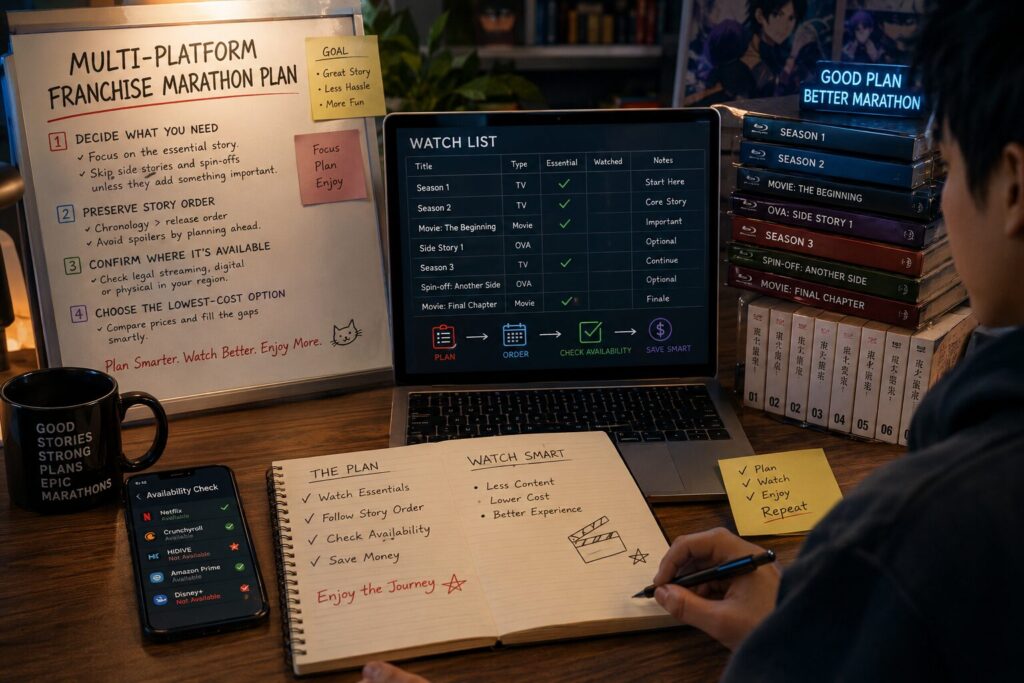
Separate the Main Story From Completionist Material
Not every production carrying the franchise name is necessary for understanding the central narrative. Treating all entries as compulsory can make the marathon longer, more expensive, and harder to finish.
Divide the list into three groups.
Core titles contain major events required to follow the primary story. Removing one would leave an important gap in character development, chronology, or the central conflict.
Supporting titles provide useful context but are not essential. A prequel series may explain a secondary character, while a special episode may expand an event already summarized in the films.
Optional titles include alternate adaptations, parody episodes, promotional shorts, recap films, loosely connected spin-offs, and fan-service productions that can be skipped without damaging the main narrative.
Make this distinction before purchasing another subscription. A streaming service may contain only one optional spin-off that adds several hours but no essential plot information. Paying for a full month merely to preserve a completionist list may not improve the marathon.
First-time viewers should also be cautious with descriptions and fan-made order guides. A summary explaining why an entry is optional can reveal the twist that connects it to the main story. Use spoiler-light descriptions based on format, continuity, and recommended placement rather than detailed plot explanations.
A realistic list might classify ten productions as six core entries, two supporting entries, and two optional additions. The six core titles form the guaranteed marathon. The other four can be added only if the schedule and budget remain comfortable.
Build a Regional Platform Map for Every Title
Streaming rights vary by country, title, version, and date. A film included with a subscription in one market may require rental or purchase elsewhere. A search result can also lead to an extended edition, remake, television cut, or separate production sharing a similar name.
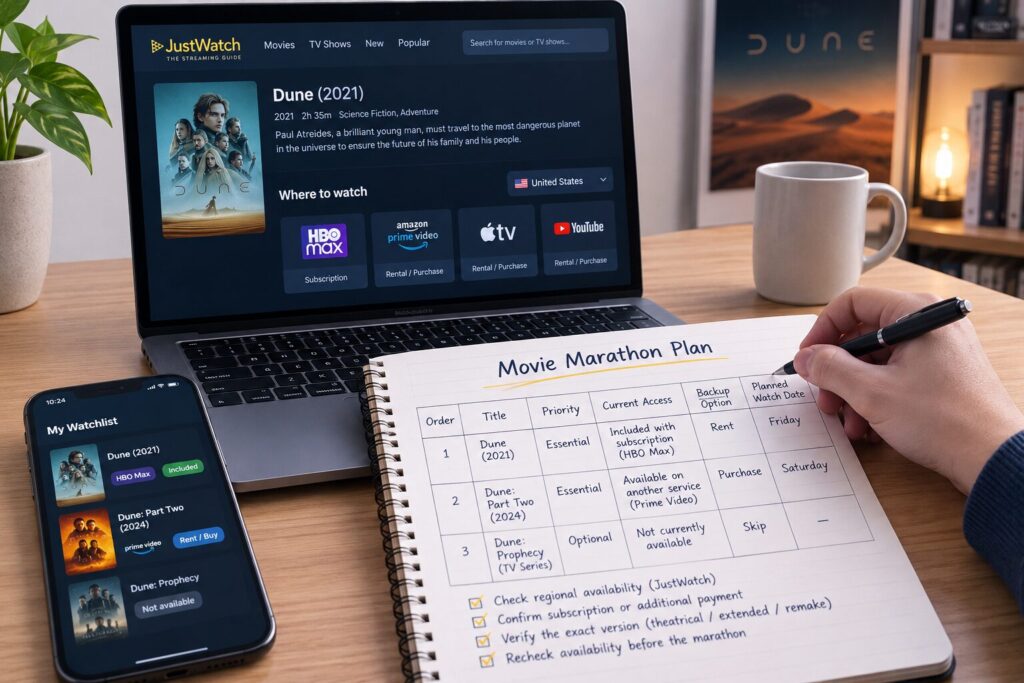
Use a streaming guide to create the first version of the platform map. JustWatch searches across multiple services and maintains country-specific guides, while Reelgood focuses primarily on availability in the United States and United Kingdom.
Treat those tools as discovery aids rather than final checkout confirmation. Open the title in the provider’s own application or website and verify that it is playable under your account in the correct region.
For each entry, record:
| Title | Runtime | Current provider | Included in plan | Rental or purchase | Exact version |
| Film A | 128 min | Service 1 | Yes | Also rentable | Theatrical cut |
| Series B | 390 min | Service 2 | Yes | No | Season 1 |
| Special C | 52 min | None | No | Rental | Original special |
| Film D | 141 min | Service 1 | No | Separate purchase | Extended edition |
The phrase “available on” can be misleading. A title displayed inside a streaming application may require an additional channel subscription, rental payment, or premium plan. Confirm whether a Play button appears under the membership you already hold.
Check the title again shortly before the planned date. A platform map created several weeks earlier is useful for budgeting, but the provider’s current listing should determine the final plan.
Group Subscriptions Without Destroying the Story Sequence
Paying for several services simultaneously is rarely necessary when the marathon will take weeks to complete. Group the schedule into platform periods wherever the chosen story order allows it.
Suppose the first three core titles are on one service, the next two are on another, and the final film requires a rental. The efficient plan is straightforward: complete the first group during one billing period, move to the second platform afterward, and rent the final title near its scheduled date.
The problem becomes harder when the viewing order alternates repeatedly between services. In that case, do not watch every title on Service A first merely to avoid switching applications. Doing so may break the sequence you deliberately selected.
Instead, use one of these adjustments:
- Keep the primary service for the full period in which its titles recur.
- Activate the secondary service only when its first required entry approaches.
- Move optional titles to the end so they do not extend an otherwise unnecessary subscription.
- Rent an isolated core film when that costs less than maintaining another membership.
- Use existing purchases or legal library access before opening a new subscription.
The platform grouping should serve the chosen order, not replace it.
Record every renewal date when a temporary subscription is activated. Canceling immediately after registration can be sensible when the provider confirms that access will remain active until the end of the paid period. Read the cancellation result carefully rather than assuming that every service handles access in the same way.
Compare the Cost of the Whole Marathon
Calculate the full access cost instead of comparing one film at a time.
Include new subscriptions, channel add-ons, rentals, purchases, taxes, and renewals that may occur before the schedule ends. Existing services should be noted separately because keeping a membership you already use does not create the same incremental cost as opening a new account solely for the marathon.
A useful calculation is:
New subscription costs + rentals + purchases + add-ons + expected renewals
Suppose four core titles are included with one monthly service, while another platform contains only one required film. The first membership may offer good value. The isolated title should be compared as a rental, purchase, or one-month subscription before payment.
Rental price is not the only issue. A cheap rental becomes wasteful when the viewing period expires before the group can meet. Purchase may be more practical for a long film that will be watched more than once or for a title that repeatedly moves between services.
An annual subscription should not be justified only by one marathon. Review The Actual Usage Period at Which an Annual OTT Subscription Becomes More Cost-Effective Than Monthly Billing when deciding whether the service will remain useful after the franchise is complete.
This internal link belongs at this stage because the real comparison is not simply annual price versus monthly price. It depends on how many months the service will actually be used and whether the marathon alone is long enough to justify the commitment.
Plan Each Day by Hours, Not Title Count
Two films do not always represent a reasonable evening. One pair may total three hours, while another requires more than five hours after credits, breaks, meals, and discussion are included.
Television episodes create a similar problem. Five 45-minute episodes require almost four hours before pauses. Dense dramas can also feel more tiring than a longer action film because they demand continuous attention.
Set a daily limit before assigning titles. Three to four hours is manageable for many viewers, although the right figure depends on the group, the material, and whether the marathon is spread across weekdays or weekends.
Build each day around total runtime:
| Day | Planned viewing | Content runtime | Session allowance |
| Friday | Three series episodes | 150 minutes | 3 hours |
| Saturday | Two films | 245 minutes | 5 hours |
| Sunday | Two episodes and one film | 220 minutes | 4.5 hours |
The session allowance should be longer than the listed runtime. Include time for meals, pauses, technical problems, late arrivals, and post-credit scenes.
Long television seasons are easier to sustain when divided into smaller blocks. Two or three episodes followed by a related film can provide more variety than watching eight episodes continuously. Do not place a crucial film at the end of an exhausting day merely because it is next in the order.
Group marathons also need buffer days. One missed evening should not force the entire schedule beyond a rental deadline or subscription renewal. Leave at least one open date before temporary access expires.
Verify Offline Download Conditions Before Travel
Offline downloads can protect the marathon from weak hotel Wi-Fi, mobile data limits, or unreliable transport connections. They are not permanent copies and should not be treated as ownership.
Before downloading, confirm that the title supports offline viewing, the current plan includes downloads, the device is supported, and enough storage remains. Also check whether the account has reached its device or title limit.
Netflix currently supports downloads through its applications on specified mobile and compatible devices. Its help documentation states that downloads can expire, some titles have annual download limits, and downloaded material is deleted if the account is canceled. It also applies different active-download allowances according to the plan.
Disney+ also limits downloads by account and supported device. Its current help material states that eligible content can be stored on supported mobile devices, while download availability and limits can depend on the plan, region, account, and title. Continued access requires an active subscription and periodic internet connection.
Complete downloads before leaving a reliable connection, then open the application and confirm that every title appears in the offline section. Do not rely only on a completed progress icon.
Check the following before departure:
- Available storage after all episodes and films have downloaded
- Video quality and resulting file size
- Account sign-in status
- Download expiration warnings
- Device limits
- Whether every planned title actually supports downloading
- The date on which the subscription ends
A title can disappear from offline access if the license changes or the membership ends. Keep an alternative legal viewing option for any core entry scheduled near an expiration date.
Lock the Plan Only After Every Core Title Has Access
The marathon is ready when every core production has a defined viewing date and a confirmed access method.
Each title should have one of four outcomes: included in an active subscription, scheduled for rental, already purchased, or legally available through another confirmed service. Optional titles may remain undecided without threatening the main story.
Review the platform map again one or two days before beginning. Confirm the correct edition, subtitles or dubbing options, runtime, download status, and renewal dates. For a group, agree in advance whether anyone requires a particular language track or accessibility feature.
A successful franchise marathon is not the one with the longest title list. It is the one that preserves a clear sequence, avoids unnecessary subscriptions, respects the group’s available time, and reaches the final core entry without losing access halfway through.